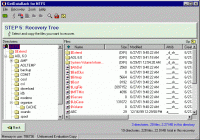
GetDataBack is a highly advance data recover software, when will allow you to recover from Hard Drives, Partitions, Floppy Drives, Drive Images, Zip/Jaz Drives, Compact Flash, Smart Media, Secure Digital, and USB Flash Cards.
No matter what the disaster scenario is - GetDataBack will recover your data if the hard drive's partition table, boot record, MTF or root directory are lost or damaged, data was lost due to a virus attack, the drive was formatted, fdisk has been run, a power failure has caused a system crash, files were lost due to a software failure, files were accidentally deleted...
Recover even when Windows doesn't recognize the drive - GetDataBack can even recover your data when the drive is no longer recognized by Windows.
It can likewise be used even if all directory information - not just the root directory- is missing.
Get everything back- Advanced algorithms will make sure that all directories and sub directories are put together as they were, and that long file names are reconstructed correctly.
GetDataBack is safe - GetDataBack is read-only, meaning the program will never attempt to write to the drive you are about to recover. Please make sure to read the safety instructions...
GetDataBack is easy to use - The software enables the regular user to conduct his own data recovery by guiding him through five easy to understand steps, thus gives the advanced user the possibility to interfere with the recovery and improve the results, by examining the scan log, the file system details, file and directory information, by selecting the sector range to be scanned, by choosing excessive search for file systems or search for lost files, by calling Runtime's DiskExplorer. Recover files over your local network or over a serial cable.
This feature enables you to run GetDataBack on one computer ("remote") while accessing the drives of another computer ("host").
Recovering data over a network is useful, especially when you are not able to remove the drive you want to recover from and attach it to another computer.
GetDataBack can also be run from a boot disk and now supports Unicode characters.
Requirements:
• 32 MB RAM
• Pentium Processor
Operating system:Windows 8, Windows 7, Windows Vista, Windows XP, Windows 2000, Windows 98
Release notes:Minor Update

BestSync 2008 is a professional utility for sync and backup file between net drive, shared folder, FTP server and USB removable media with filtering, encryption etc advanced features.
Price: $ 15, Rating: 10, Downloads: 198
Download

File Sync is a very fast and robust files and folders synchronization software for Windows. It automates the replication of data between desktop PCs, laptops, USB drives and more.
Price: $39.95, Rating: 10, Downloads: 165
Download

Products for users have the account of MicroSoft windows live skydrive service. This is tool to do realtime backup, one-click restoration, auto-save, management without any user's interaction. Auto-save every 3 minute of current working file.
Price: $0, Rating: 5, Downloads: 134
Download

Genie Timeline is a time machine backup software for Windows that automatically and continuously backs up music, videos, photos, files and folders on your machine with little or no user intervention bringing unique simplicity to file backup.
Price: $34.95, Rating: 0, Downloads: 127
Download

Asoftech Photo Recovery is an easy to use data recovery software available to restore your photos, music and videos from local PC and removable devices. No matter multimedia files have been deleted accidently, or memory card has been formatted.
Price: $0, Rating: 10, Downloads: 126
Download 
 GetDataBack for NTFS 4.32